A calm analytics dashboard for the GA4 data you already have
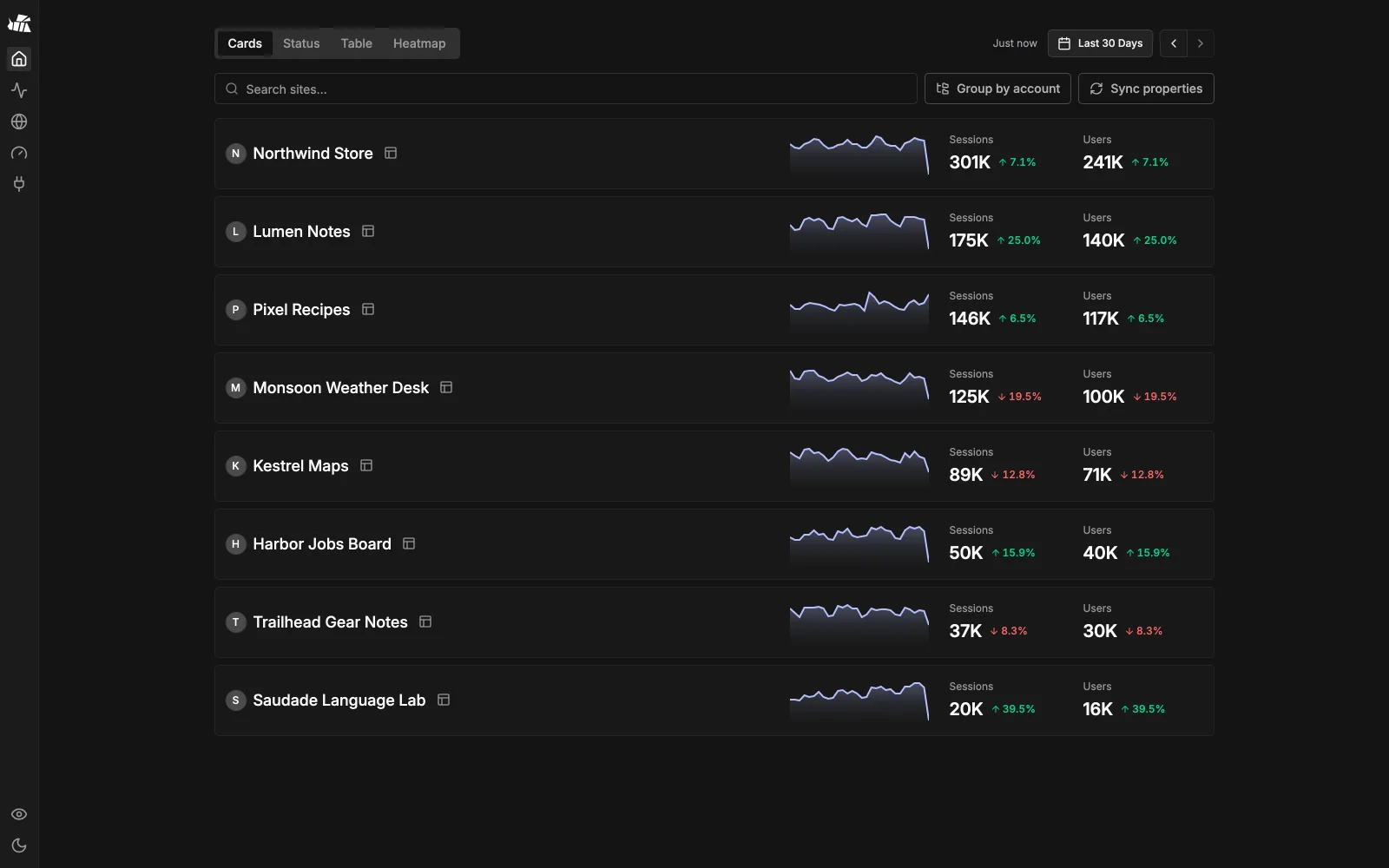
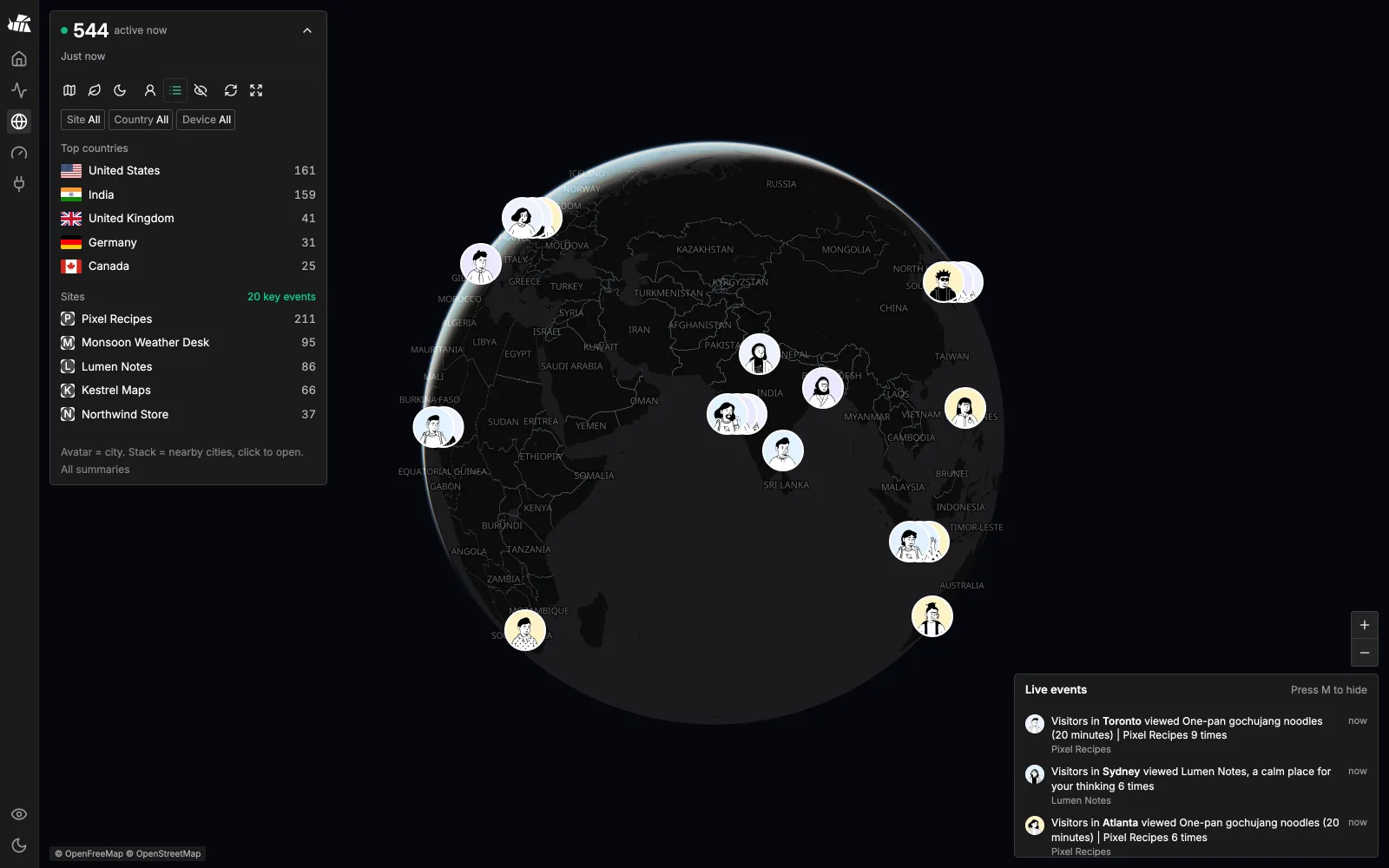
One screen per site, click any row to filter, compare periods in a click and watch visitors live on a globe. No event database, no new tracking script.


Run one container
Start MetriBee with Docker on a laptop, a home server, a Raspberry Pi or the smallest VPS you have.
Connect GA4
Add a read-only service account. Your existing GA4 tag and years of history stay exactly where they are.
Read every site at once
Open one calm screen for all properties, then click into realtime, funnels, journeys and retention.
Rybbit's interaction model on top of GA4

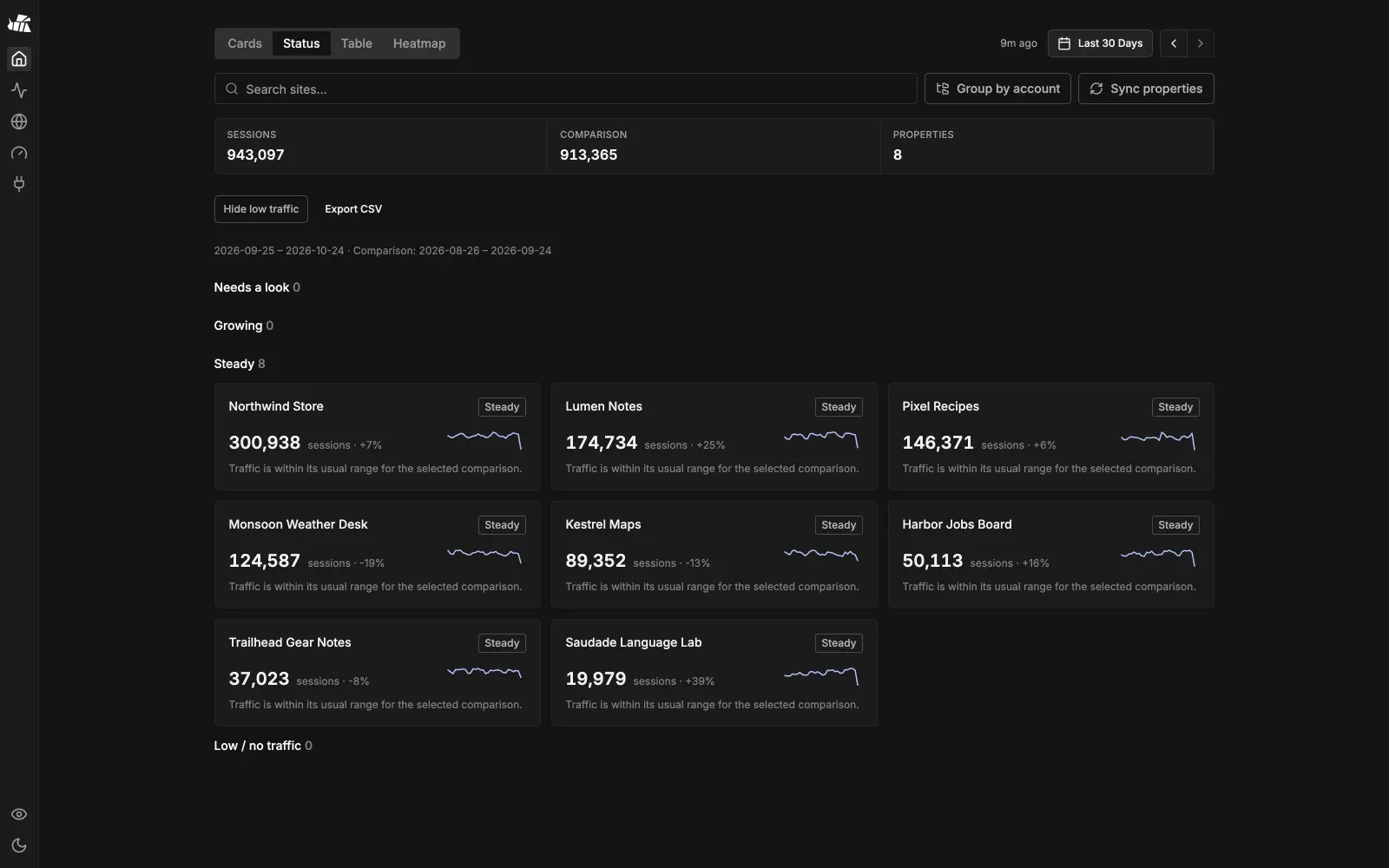
Every GA4 property on one screen
Cards, Status, Table and Heatmap views across every property the service account can see, with CSV export and optional AdSense earnings.

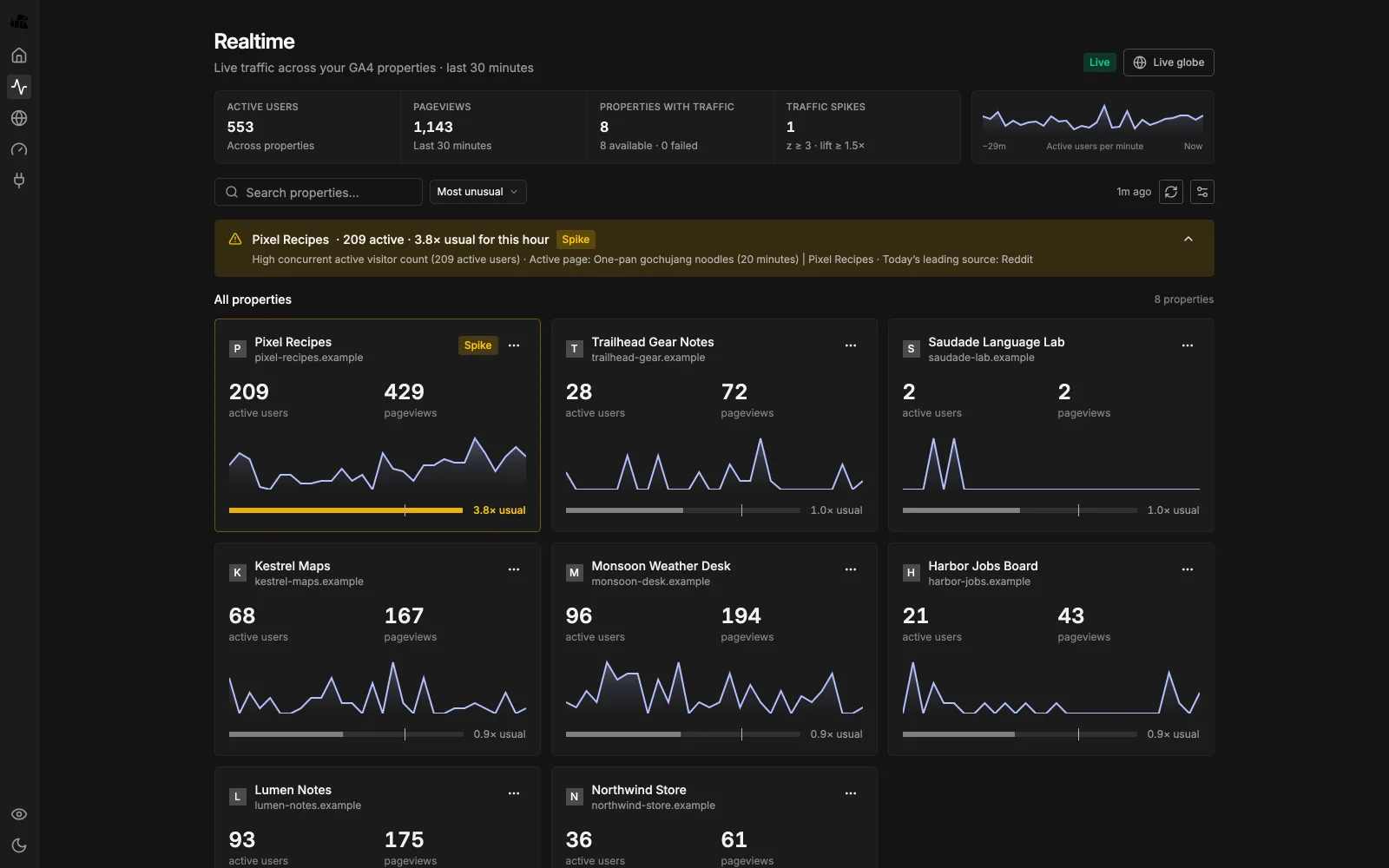
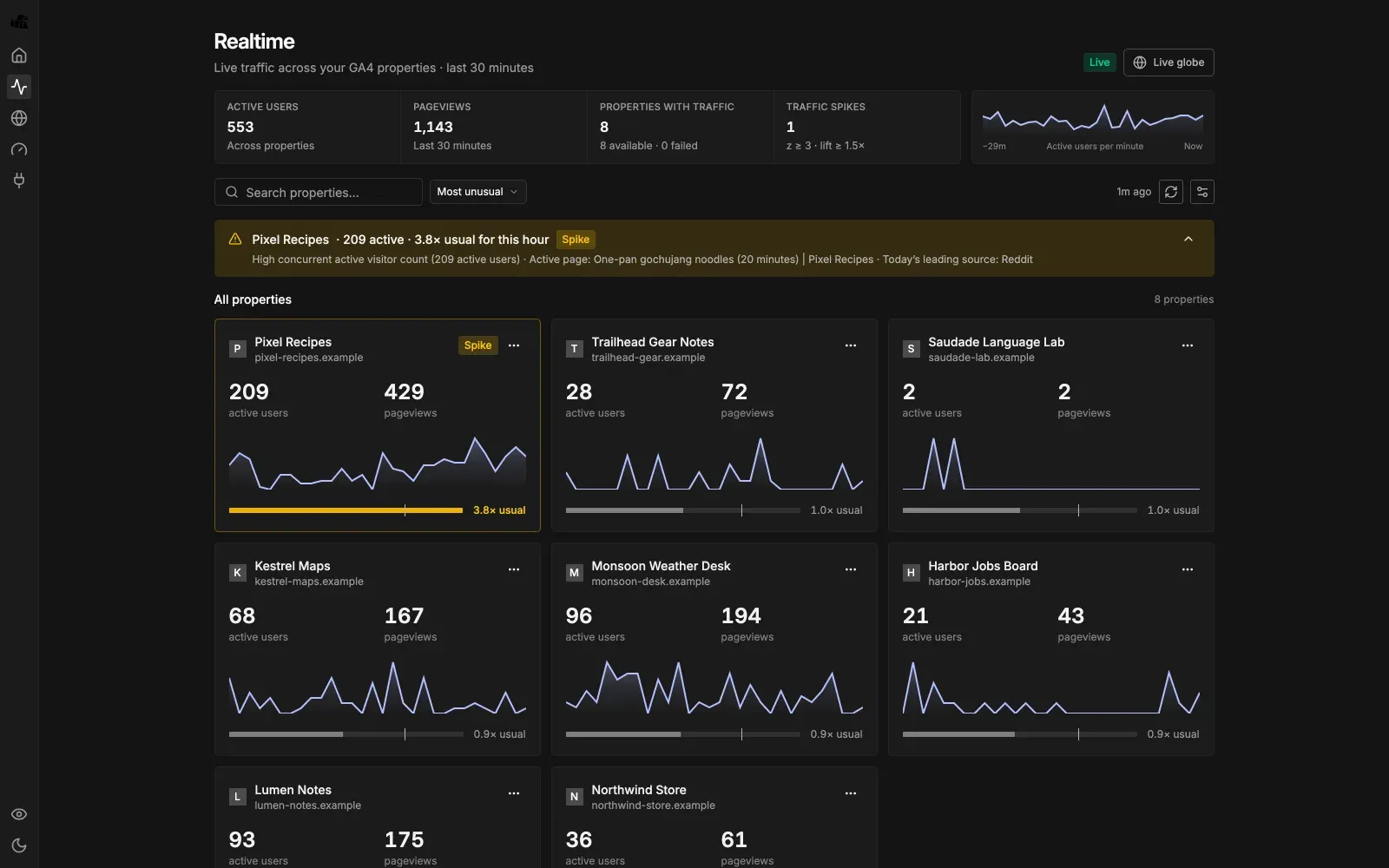
Realtime with spike alerts
Live users from the GA4 Realtime API for every property, with spike detection and a live 3D globe.

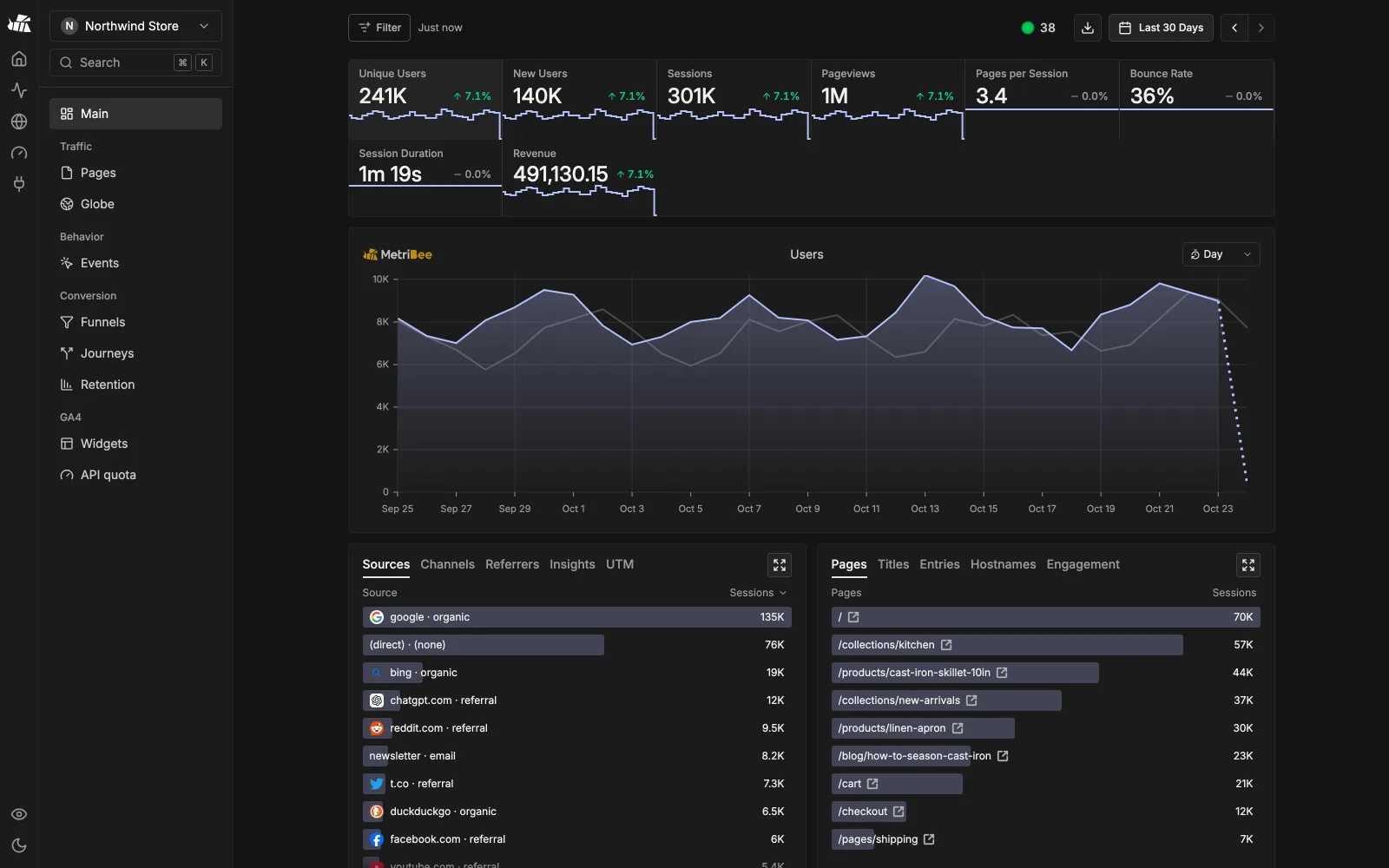
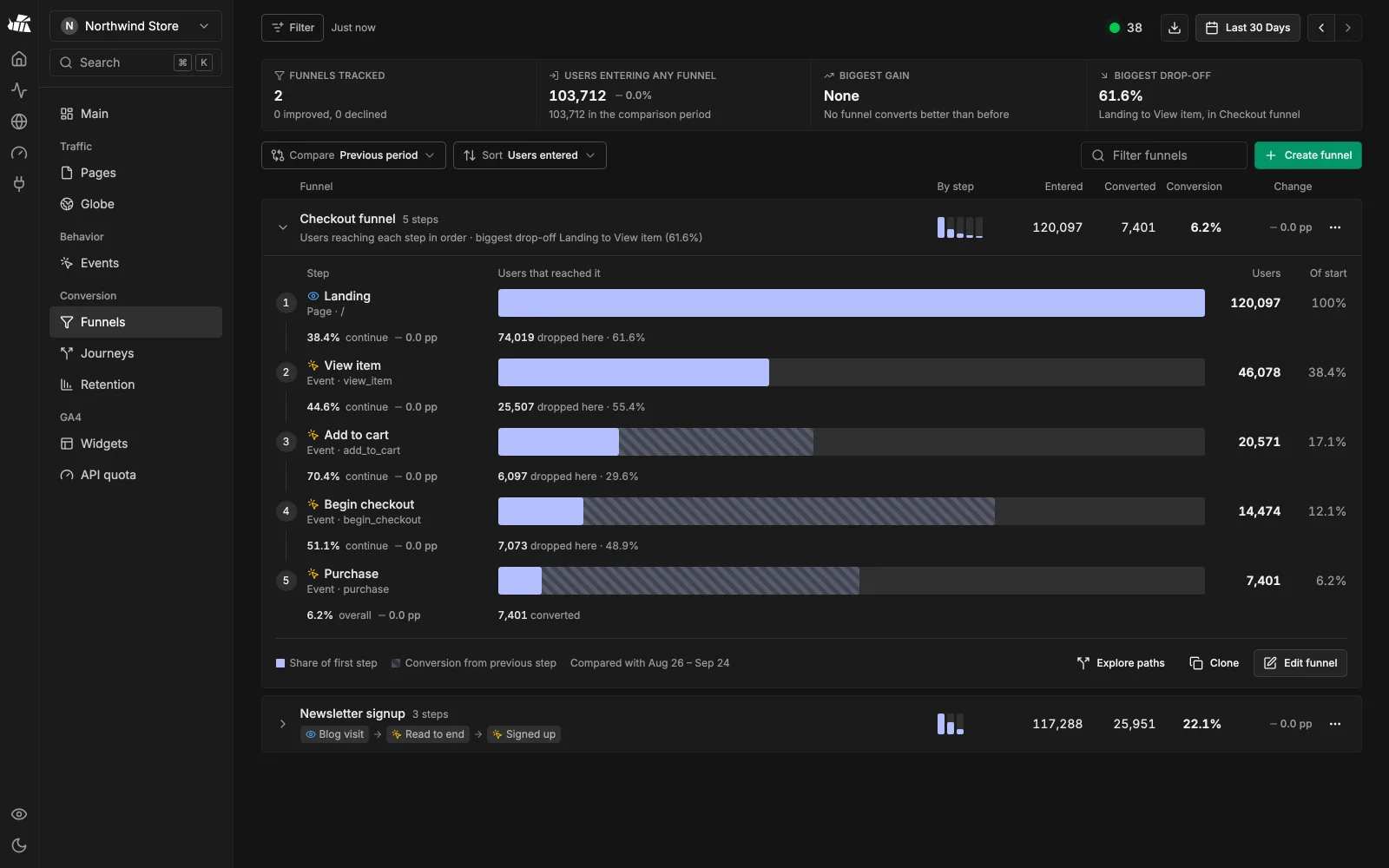
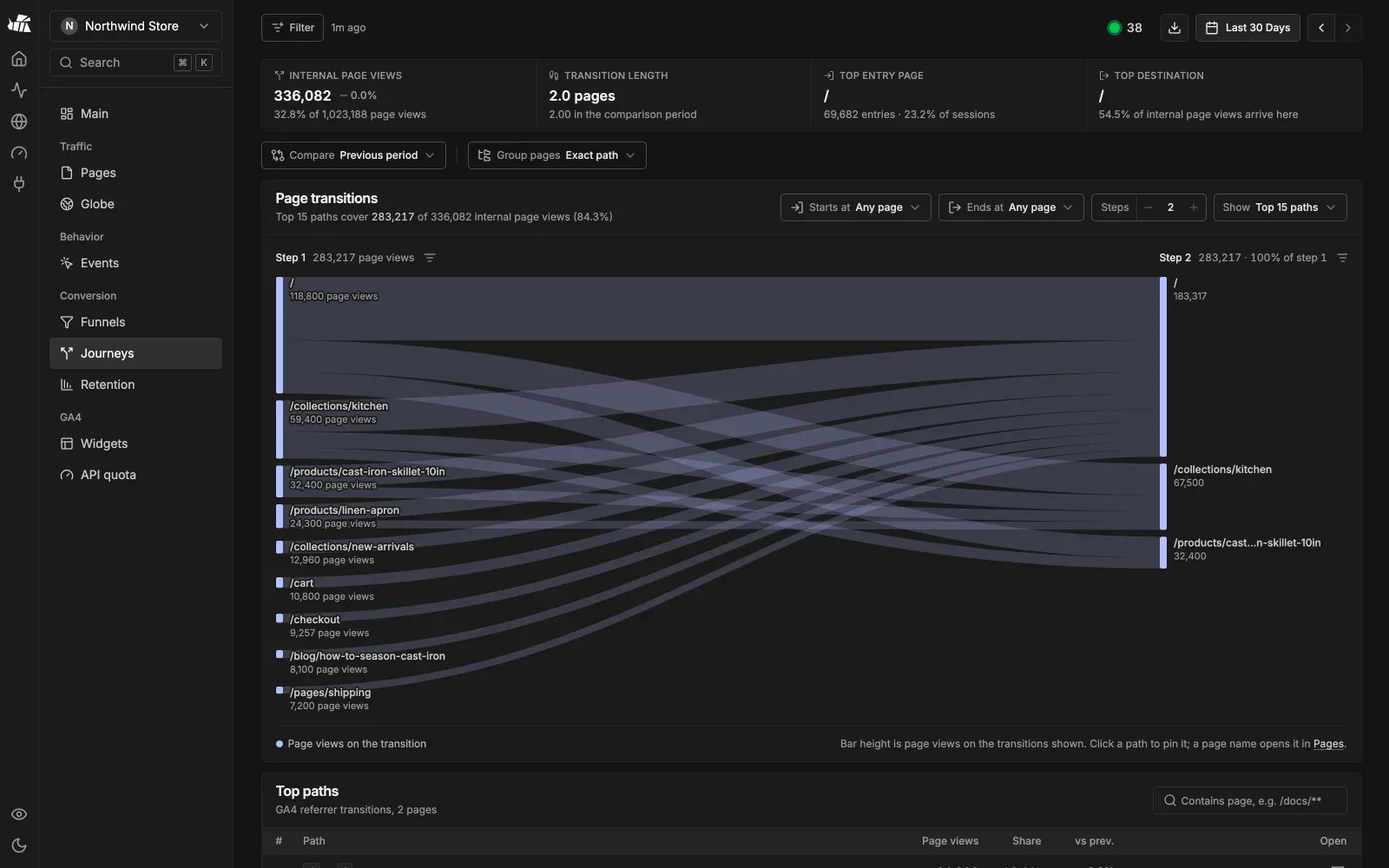
Funnels, journeys, retention
Built on GA4's native funnel reports, page paths and first-visit cohorts. No extra events to send.
Why MetriBee
GA4 already stores your events for free. Its interface is the only problem, so MetriBee replaces the interface and keeps the storage.
No analytics server to pay for
Google stores and queries the events. MetriBee is one small stateless process that runs on hardware you already have.
Nothing to maintain
No ClickHouse or PostgreSQL to tune, back up, upgrade or resize, and no disk that fills up as traffic grows.
No migration
Years of GA4 history show up on day one. If you stop using MetriBee, your data is still in GA4.
Everything in one shell
Every report comes from your GA4 properties through the GA4 Data and Admin APIs. Search Console and AdSense are optional extras.
Clean reports
Overview, Pages, Events, Journeys, Retention and Funnels with click-to-filter, period comparison and keyboard shortcuts.
Search Console built in
Clicks, impressions, CTR and position sit next to GA4 metrics in the same tables.
Widgets and share links
Embeddable cards and badges from GA4 metrics, plus revocable private dashboards.
MCP server at /mcp
Claude Code, Codex, Cursor and other assistants can query your GA4 and Search Console data.
Quota-safe
Report caches and per-property quota guards keep you inside GA4's free API limits.
Privacy mode
Press P to blur site names and URLs before you share your screen.
How MetriBee compares
An honest look at self-hosted options, including where the others win. Based on each project's public docs as of October 2026.
| Feature | MetriBee | Rybbit | Umami | Plausible CE |
|---|---|---|---|---|
| Hosting and cost | ||||
| Event storage on your server | None, Google stores it | ClickHouse, grows forever | PostgreSQL, grows forever | ClickHouse, grows forever |
| Services to run | 1 Node process | ClickHouse + Postgres + Redis + app | Postgres + app | ClickHouse + Postgres + app |
| Keep existing GA4 tag, no migration | New script | New script | New script | |
| Dashboards | ||||
| Multi-site home | Site cards | Site list | Site list | |
| Traffic spike detection | ||||
| Live 3D globe | ||||
| Retention cohorts | ||||
| Embeddable widgets and badges | Full dashboard iframe | |||
| MCP server for AI assistants | ||||
| Where the others win | ||||
| Session replay | ||||
| Web Vitals and error tracking | Web Vitals | |||
| You own every raw event | ||||
| Cookieless, no consent banner | GA4 rules apply | |||
Server sizes are typical guidance, not hard limits. If something is out of date, please open an issue.
Frequently asked questions
No. MetriBee reads the GA4 properties you already have through a read-only service account. Keep your existing GA4 tag.
Give your GA4 data a calmer home
One Docker command starts the demo. Connect your GA4 properties when you are ready.
MIT backend · AGPL-3.0 frontend adapted from Rybbit
docker run --rm -e DEMO=1 -p 127.0.0.1:5483:5483 ghcr.io/nexmoe/metribee:latest